
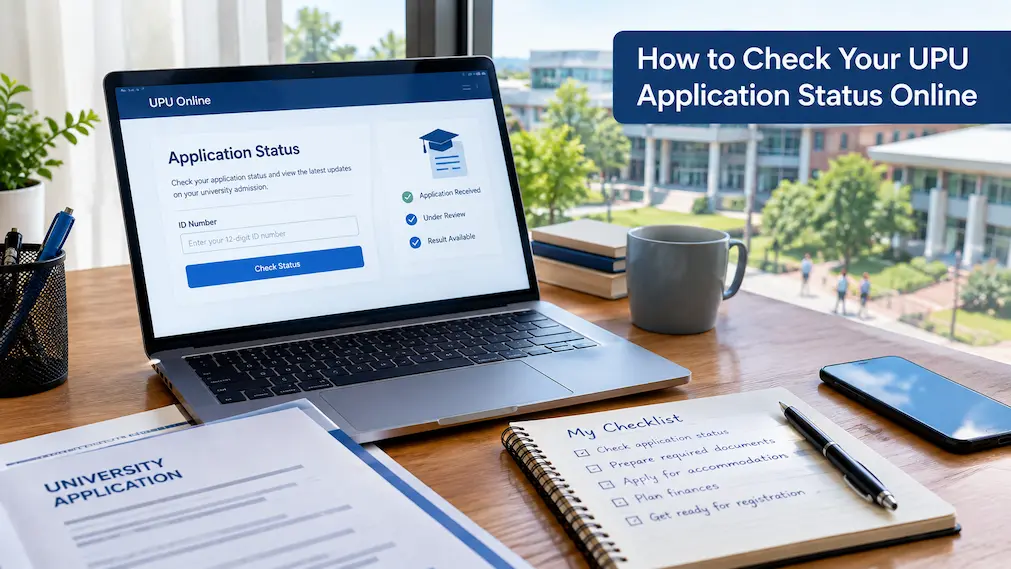
After submitting a UPUOnline application, one of the most useful things you can do is to keep track of your application through the official UPU channels. This is especially important when application updates, admission results, or appeal information are released, because the information shown online can determine what you need to do next. Instead of relying on screenshots shared in WhatsApp groups, Facebook posts, or messages from other applicants, it is better to check your information directly through the official system.
The process is generally straightforward, but the exact page and information available can depend on your applicant category and the stage of the admission cycle. UPU provides online services through its official portal, including application-related services, result checking, e-Panduan, UPUChatbot, and UPUPocket. (UPU MoHE) This guide explains how to check your status, what information you need, what to do if no record appears, and what to do after receiving a result.
Start With the Official UPU Portal
The first step is to use the official UPU website rather than a third-party website claiming to provide UPU results. The official portal is operated by the Bahagian Kemasukan Pelajar IPTA under the Department of Higher Education, Ministry of Higher Education. It provides access to the current UPU online services and links to the relevant checking systems. (UPU MoHE)
You can visit the official portal at https://upu.mohe.gov.my/ and seek the service that matches what you want to check. The portal currently includes services for UPUOnline applications, admission result checking, appeals, e-Panduan, and other applicant resources. (UPU MoHE) Because UPU changes its services according to the admission cycle, it is better to use the current links displayed on the official portal instead of bookmarking an old result page and assuming it will always be used.
Know What You Are Actually Checking
Before entering your details, it helps to understand the difference between checking an application and checking an admission result. If you are still in the application or update period, you may want to confirm that your application information has been submitted correctly or check whether you can make changes. Once the relevant results have been released, you are instead checking whether you have received an offer and, where applicable, what programme and institution have been offered.
This distinction matters because UPU has different services for different stages of the process. For example, the official portal currently lists separate services for checking admission results and for UPUOnline appeals. (UPU MoHE) If you open an old result page outside its intended checking period, you may not see the information you expect even though your original application exists.
How to Check Your UPU Status Online
Start by opening the official UPU portal and identifying the relevant Semakan Keputusan or application service. Select the service that corresponds to your applicant category and the academic session you applied for. Avoid choosing a result-checking page simply because it appears in a search engine; always make sure that the page belongs to the official UPU or Ministry of Higher Education domain.
Once you reach the appropriate checking page, enter the information requested by the system. For the current 2026/2027 STPM/Setaraf result-checking page, applicants are asked to enter their 12-digit identification number without hyphens. The page then provides the relevant applicant and result fields when a matching record is found. (UPU Malaysia) After submitting the information, read the entire result carefully instead of looking only for whether you were successful or unsuccessful.
Enter Your MyKad Number Correctly
A surprisingly simple mistake can prevent an applicant from finding their record. When the official checking page asks for your MyKad number, enter all 12 digits exactly as required. The current UPU result-checking page specifically instructs applicants to enter the 12-digit number without the hyphen format normally used when writing a Malaysian identification number. (UPU Malaysia)
If the system indicates that no record was found, please double-check the number before concluding that there is an issue with your application. Look at each digit carefully and ensure you have not accidentally entered another family member’s identification number or copied an incomplete number. If the number is correct and the problem persists, please verify that you are using the appropriate UPU service for your applicant category and admission session.
What Information Can You See?
The information available depends on the particular UPU service and the stage of the admission process. On the current 2026/2027 STPM/Setaraf result-checking page, the result interface includes fields for the applicant’s identification number, name, programme, and institution or agency. It also provides an unsuccessful outcome and information relating to an appeal where applicable. (UPU Malaysia)
If you receive an offer, do not simply look at the university name and close the page. Check the programme carefully as well, particularly if you applied for several different courses. Save a copy of the result for your records if possible. Having your result available later can be useful when completing university registration or checking instructions from the institution to which you have been offered a place.
Checking Your UPU Result After It Is Released
If your main question is whether you have received a place, you need to wait until the relevant admission results are officially released for your category and academic session. The checking period is not necessarily the same every year, so students should not rely on dates published for an older admission cycle.
For example, for the 2026/2027 admission cycle, the Ministry of Higher Education announced that STPM/Setaraf applicants could check their results from 14 August 2026 at 12:00 noon until 23 August 2026 at 5:00 pm. The Ministry listed the official UPU website, UPU2, UPUPocket and MyGov as checking channels for that result period. (Ministry of Higher Education Malaysia) These dates are specific to that admission cycle and should not be copied as the checking dates for future years.
You May Have More Than One Official Checking Option
UPU does not necessarily rely on one webpage for every admission-related service. The main UPU portal currently lists several online services and identifies UPUPocket as an official mobile application. (UPU MoHE) Depending on the admission cycle, the Ministry may also announce additional official channels for checking results.
This can be useful when a large number of students are trying to access their results around the same time. If one official service is temporarily slow, check the current UPU or Ministry announcement to see whether another official method has been provided. Do not solve the problem by moving to an unknown website just because it appears to load faster.
What If the System Says “No Record”?
If the UPU checking page indicates that there is no application record, please do not immediately conclude that your application has been rejected. The current UPU2 result-checking page specifically displays a message explaining that the identification number entered could not be found and advises the applicant to check the number again. (UPU Malaysia)
Please start by checking your identification number again. Then make sure you are checking the correct applicant category and admission session. It is also worth checking whether the result you are looking for has actually been released yet. A result page can exist before or after the specific period during which your result is available, so the existence of the webpage itself does not necessarily mean that your result is already displayed.
What If You Submitted an Application but Cannot See It?
If you previously completed a UPUOnline application and are unable to access the information you expected, first think about which stage of the process you are trying to check. Application information, admission results and appeals are not necessarily displayed through the same interface.
Your saved application slip can be particularly useful here. UPU’s official 2026 application guidance advises applicants to save or print their application slip after submitting the application as evidence and for future reference. (UPU MoHE) If you have retained this information, please use it to verify your application details and category before reaching out to UPU regarding any issues.
Keep Your UPU Application Slip
Your application slip is more useful than many applicants realise. After submitting your application, keeping a copy gives you a record of the information you submitted and provides something to refer to if you later need to investigate an issue. The official UPU guidance specifically instructs applicants to save or print the application slip after completing their application. (UPU MoHE)
Store the slip somewhere you can access it easily. A PDF saved on your computer or cloud storage is preferable to relying on a screenshot that could be lost among hundreds of other photographs. If you have important UPU correspondence, you can also keep it in the same folder so that your application information, confirmation, and later result are easy to locate.
What If Your UPU Application Is Successful?
If your status shows that you have received an offer, your next step is to read the result and then follow the instructions provided by the university. Do not assume that checking the result completes the admission process. There may still be acceptance, registration, document submission, accommodation, or payment requirements that you need to complete.
For the 2026/2027 STPM/Setaraf cycle, the Ministry stated that successful applicants needed to confirm whether they accepted or rejected the offer through the respective university’s website during the specified period. The universities would then issue the official offer letter after the applicant completed the acceptance confirmation. (Ministry of Higher Education Malaysia) This is why students should move from the UPU result page to the official university website once they receive an offer.
What If You Are Not Successful?
An unsuccessful result does not necessarily mean that you have no further option, but you need to check the rules that apply to your particular admission cycle. Where an appeal process is available, the official UPU system or Ministry announcement will provide the relevant instructions and deadline.
For the 2026/2027 STPM/Setaraf cycle, the Ministry stated that applicants who were unsuccessful could submit an appeal through UPUOnline within the specified 10-day period. (Ministry of Higher Education Malaysia) The important point is to verify the current instructions rather than assuming that every applicant or every academic session has the same appeal arrangements.
Do Not Miss the Appeal Deadline
If you are eligible to appeal, do not treat the appeal period as something you can postpone. Admission-related deadlines are usually specific, and missing the closing time can prevent an applicant from using the available process.
The 2026/2027 STPM/Setaraf announcement, for example, gave unsuccessful applicants a defined period from 14 August to 23 August 2026 to submit an appeal. (Ministry of Higher Education Malaysia) Future cycles may use different dates or arrangements, so the correct approach is to verify the current official announcement immediately after your result becomes available.
Be Careful With WhatsApp and Social Media Information
UPU results are widely discussed online when they are released. You may see people sharing screenshots, claiming that results are available, posting links or explaining what they believe applicants should do next. Some of these discussions can be useful, but they should not replace the official information provided by UPU or the university.
A message from another applicant cannot confirm your result. Likewise, an old screenshot may show a process from a previous admission cycle. If someone sends you a link asking you to enter your identification number, check the website address before entering anything. Instead of an unknown third-party page, use the official UPU or university website for important admission information.
What to Do if the Website Is Busy
When UPU releases the results, many applicants may try to check their information at approximately the same time. Such activity can make a website slower than usual. If the page does not load immediately, there is no need to panic or repeatedly refresh it for a long period.
First, please verify whether the Ministry or UPU has announced other official checking channels for the same result period. During the 2026/2027 STPM/Setaraf result announcement, for example, the Ministry listed UPUOnline, UPU2, UPUPocket and MyGov as available platforms. (Ministry of Higher Education Malaysia) If an alternative official channel is available, using it may be more practical than repeatedly trying the same page.
Keep Your Personal Information Safe
Your UPU application involves personal information, so you should be careful about where you enter it. A legitimate-looking page is not automatically an official page. Before entering your identification number or other information, check the domain name and make sure you reached the page through an official UPU or government source.
You should also avoid sending screenshots of your complete application details to public groups. If you need help from someone you know, hide unnecessary personal information before sharing an image. There is rarely a good reason to publish your full identification number in a Facebook comment, public group, or other open online discussion.
A Simple UPU Status Checking Checklist
| Step | What you should do |
|---|---|
| 1 | Open the official UPU portal |
| 2 | Identify your applicant category and academic session |
| 3 | Select the appropriate application or result service |
| 4 | Enter your identification number as requested |
| 5 | Check the information displayed |
| 6 | Review the programme and institution carefully |
| 7 | Save a copy of your result or confirmation |
| 8 | Follow university instructions if you receive an offer |
| 9 | Check appeal information if you are unsuccessful |
| 10 | Contact UPU through official channels if a genuine problem remains |
Common Mistakes to Avoid
One common mistake is using a search result without checking whether the website is actually official. Search engines can display many pages discussing UPU, but only the official UPU and government sources should be treated as the authority for your personal admission status. Another mistake is entering a MyKad number with the wrong format or an incorrect digit and then assuming that the system has lost your application.
A third mistake is checking only the result and ignoring what comes afterward. An offer may require additional action through the university itself. Another common problem is waiting until the last day to address an appeal or registration requirement. Once your result is available, please read the instructions right away and note any deadlines that apply to you.
What You Should Do After Checking Your Status
Once you have successfully checked your status, take a few minutes to organise the information rather than simply closing the browser. If you received an offer, save the result, visit the university’s official website and look for registration instructions. If you were unsuccessful, check whether an appeal is available and note the closing date.
If your application is still being processed or the result is not yet available, you may not need to do anything else right now. Continue checking the official UPU announcements for updates rather than repeatedly searching social media for rumours. Having a simple record of what you have checked and what you still need to do can make the admission process much less stressful.
Frequently Asked Questions
Can I check my UPU application status online?
Yes. UPU provides online services for applicants through its official portal. The specific service you should use depends on your applicant category and the stage of the admission process. The official UPU portal currently provides access to application services, result checking, appeals, and other applicant resources. (UPU MoHE)
What do I need to check my UPU results?
The exact information depends on the checking service. For the current 2026/2027 STPM/Setaraf result-checking page, applicants are asked to enter their 12-digit MyKad number without hyphens. (UPU Malaysia) Follow the format shown on the official page rather than using a format from an older guide.
Why does UPU indicate that there is no record of my application?
Verify that you entered the correct identification number and that you are using the appropriate checking service. The current UPU2 system specifically advises applicants to verify the identification number when no record is found. (UPU Malaysia) If everything appears correct, please verify if the relevant result or service is currently available for your admission session.
Can I verify my UPU status on my phone?
Yes. UPU’s official portal lists UPUPocket as an official mobile application, and the Ministry may announce additional official mobile checking channels for particular result periods. (UPU MoHE) Use official applications and links rather than unofficial apps that simply use the UPU name.
What should I do if I receive a UPU offer?
Read the offer information carefully, save a copy of your result, and check the official university website for the next steps. Depending on the admission cycle and university, you may need to confirm your acceptance and complete further registration requirements.
Can I appeal if I do not receive an offer?
An appeal may be available depending on your applicant category and admission cycle. For example, an appeal process was provided for unsuccessful STPM/Setaraf applicants in the 2026/2027 cycle. (Ministry of Higher Education Malaysia) Always refer to the current official UPU announcement for the applicable rules and deadline.
Conclusion
Checking your UPU application or admission status should not be complicated, but it is important to use the right website and understand what you are looking at. Start from the official UPU portal, select the service that matches your applicant category and admission session, enter your information carefully, and read the complete result rather than relying on a glance.
If your record does not appear, check your identification number and ensure you are using the correct service before assuming something has gone wrong. If you receive an offer, move quickly to the next stage by checking the university’s official instructions. Should you be unsuccessful, you should look for official appeal information and pay close attention to the deadline.
Most importantly, keep your application slip and important UPU records in a safe place. The UPU process can involve several stages, and having your documents available makes it much easier to confirm what you submitted and follow the correct next step. For every new admission cycle, review the latest information published by UPU and the Ministry of Higher Education because dates, services, and procedures can change.