Finding the correct Malaysian government service online can be harder than it first appears. A person may know what they need—such as checking an application, finding a government form, looking for an online payment service, or locating the correct agency—but still end up visiting several unrelated websites.
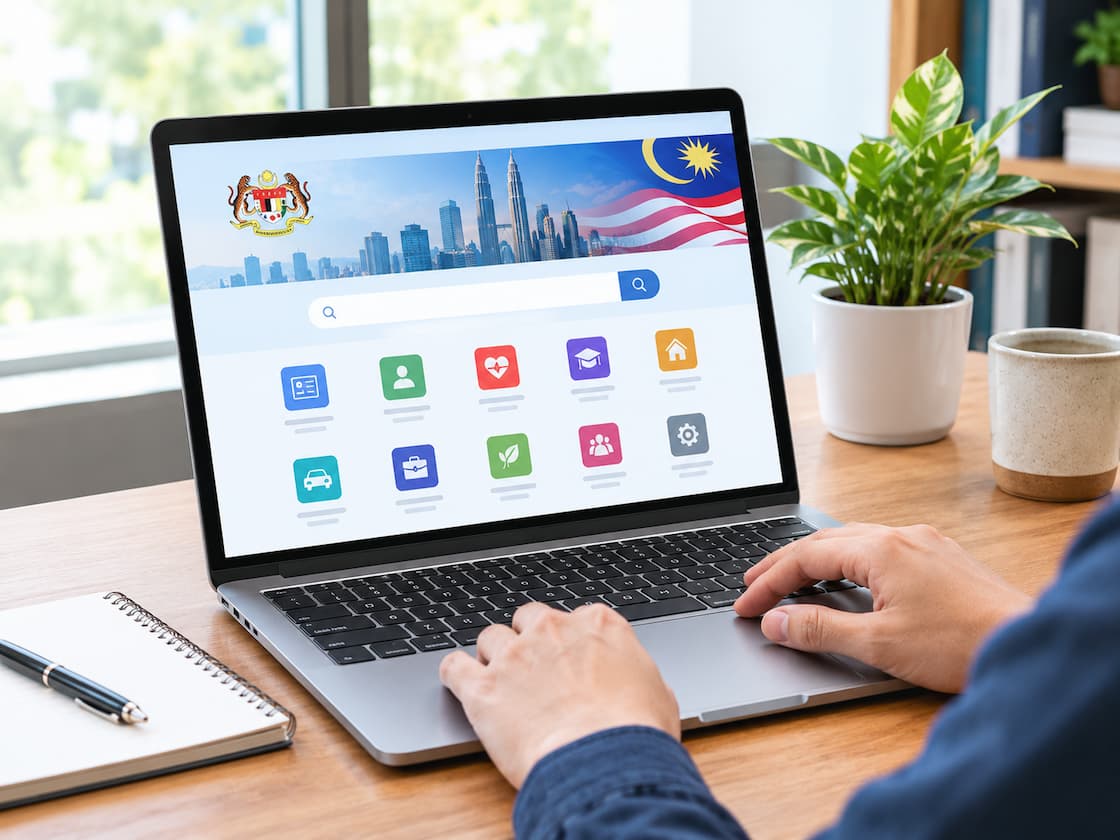
The MyGovernment portal is designed to reduce that problem. It acts as a central gateway where Malaysians can search for government information and digital services instead of starting with a separate search for every ministry or department. The portal currently lists hundreds of digital services and also provides access to government topics, agency information, important dates and other resources.
Visit the official MyGovernment Portal.
The useful skill is not simply knowing that the portal exists. It means knowing what to search for, how to identify the correct service, and when to continue to the responsible agency’s own system.
What Is The MyGovernment Portal?
MyGovernment is the official online portal of the Government of Malaysia. Its digital-services section brings together government services from different agencies in one searchable location. The portal describes itself as a central digital gateway for citizens to obtain government information, guidance and access to government services. This means you do not necessarily need to remember which ministry or department operates a particular service before you begin.
For example, a person may be seeking a service related to education, transport, employment, taxation, health, welfare or government applications. Instead of searching separately for the responsible agency, they can start with the service directory on MyGovernment. The portal also organises information around different user groups, including job seekers, students, parents, older people, pregnant women and other groups. This feature can be useful when you know the general situation but do not know the exact name of the government service you need.
Start With The Problem, Not The Agency Name
One of the easiest mistakes is trying to remember the name of the government department before searching. Suppose you want to verify something related to a vehicle. You might immediately think of JPJ. But if you are not sure which JPJ service handles your particular issue, searching the service itself can be easier.
The same applies to education. Instead of trying to remember which organisation a service belongs to, start with the thing you actually need:
- Check a result
- Apply for a programme
- Check an application
- Find a government job service
- Check a payment or summons
- Find a licence-related service
- Look for financial assistance
- Find a public complaint service
This approach is particularly useful because MyGovernment’s digital-service directory allows searches by service or government agency. The goal is to identify the right service first and worry about the responsible agency second.
Using The MyGovernment Search Function
If you already know what you need, the search function is usually the quickest starting point. Go to the official portal and look for the search area. You can search using a simple description of the task rather than writing a long sentence.
For example, try terms such as:
passportdriving licenceSPM resultPTPTNgovernment jobtaxvehicleeducation loantraffic summonswelfare assistance
The exact wording of the service may not be the same as the words you use. Therefore, if the first search does not produce a useful result, try a shorter or more specific variation.
For example, someone searching for a driving-related service could try “driving licence”, “lesen memandu”, or a specific task such as “renew driving licence” rather than searching for a broad phrase like “driving information”. This matters because government services are often named according to the formal process rather than the way people describe them in everyday conversation.
Use The Digital Services Directory When Search Is Not Enough
If you do not know the exact service name, go directly to the Digital Services section. The current MyGovernment directory displays hundreds of digital services. At the time of checking, it showed 451 digital services, covering services from different Malaysian government agencies.
Browse Malaysian Government Digital Services
This directory is useful because it gives you more context than a normal web search.
A service listing can identify:
- The name of the service
- The responsible government agency
- What the service is used for
- The type of service
- Whether it can be accessed online
- Additional information about requirements or the process, where provided
For example, a MyGovernment service page for the Jabatan Kebajikan Masyarakat’s elderly-person registration and PAWE search explains the purpose of the service, identifies the target users, describes the online method and provides information about charges and contact arrangements. It also reminds users that details should be confirmed with the relevant agency for the latest information. That last point is important. Finding a service through MyGovernment does not mean every detail on the service page should be treated as permanently fixed.
Check The Responsible Agency Before You Submit Anything
MyGovernment is a gateway, but it does not replace every government department’s own system. A listing may take you to another government portal where the actual application, payment, registration or account activity takes place.
Think of the process this way:
MyGovernment → Find the service → Check the agency → Open the service → Complete the official process
This distinction can prevent a common misunderstanding. For example, finding an education-related service on MyGovernment does not necessarily mean you will complete the entire process inside MyGovernment. The service may direct you to the responsible education agency’s own platform. Before entering personal information, check that you have reached the official government service identified by the portal.
Pay Attention To The Agency Name
Two services can sound similar while being handled by completely different organisations. This phenomenon is especially common with subjects such as:
- Licences
- Education
- Financial assistance
- Employment
- Health
- Complaints
- Vehicle matters
- Registration
- Certificates and results
The agency name is therefore more than background information. It helps you determine who is responsible for the service.
If you find a service that appears to match your needs, pause for a moment and check:
- Is the service description relevant to the task I need?
- Which government agency is listed?
- Is this an application, a cheque, a payment, or an information service?
- Does the service require me to continue to another portal?
- Are there conditions or documents that I need to prepare?
This small check can prevent you from starting the wrong application.
Search By Your Situation If You Do Not Know The Service Name
MyGovernment also presents information according to different user personas. These include groups such as Pencari Kerja (job seekers), Lepasan Menengah (school leavers), Pelajar IPT, Warga Emas, Ibu Hamil, Pesara, and others.
This can be more useful than a service-directory search when you are at an earlier stage of a problem. For example, a school leaver may not know exactly which government services are relevant after finishing secondary school. A student may be looking for education-related information without knowing the name of the responsible programme. A job seeker may want to discover several relevant services rather than one particular application. The persona approach helps you begin with your situation, then narrow down the services that may apply. It is not a replacement for checking the individual service’s requirements. It is simply another way to discover relevant information.
A Practical Example: You Need A Government Service But Know Only The General Topic
Imagine someone says:
“I need to check something related to my government application, but I don’t remember the website.”
Instead of opening random websites, they can take a structured approach.
Step 1: Identify The Task
Ask what they actually want to do.
Is it:
- Submit an application?
- Check an application?
- Check a result?
- Make a payment?
- Renew something?
- Download information?
- Find eligibility information?
Step 2: Search MyGovernment
Use the simplest useful phrase. If the task concerns employment, try a term such as “government job” or “job seeker”.
Step 3: Read The Service Description
Do not immediately click the first result. Check whether the description matches the task.
Step 4: Confirm The Agency
Look at the government department responsible for the service.
Step 5: Open The Official Service
If the listing directs you to another government system, follow the official access link provided by the portal.
Step 6: Read The Current Requirements
Before submitting information, check the current requirements, documents, deadlines, fees or other conditions shown by the responsible agency.
This approach takes slightly longer than clicking the first search result, but it can save much more time when the subject involves an important application.
What If You Cannot Find The Service?
Not finding a service does not automatically mean that Malaysia does not provide it online. You may want to try changing your search terms first.
A useful sequence is:
Everyday wording → official term → specific task → agency name
For example, if “car licence” produces poor results, try a more specific term related to the licence or process you actually need.
You can also browse the digital-services directory instead of relying entirely on the search box. The portal’s sitemap currently separates Digital Services, Topics, Personas, MyInitiative and E-Participation, so searching is not the only way to discover information. If you still cannot locate the service, use the portal’s agency directory to find the responsible agency and confirm the service directly with that organisation.
Do Not Assume Every Government Service Requires a MyGovernment Login
Another point that can cause confusion is the difference between finding a service and using it. The MyGovernment portal provides access to information and digital services, but the authentication method can depend on the service you are accessing. Some services may require an account, identification, authentication or another form of verification. Others may provide information without requiring you to log in. Therefore, do not assume that creating a MyGovernment account is always the first step. First find the service and read its access information. If authentication is required, follow the instructions provided by the relevant official system.
Be Careful With Search Results From Other Websites
A Google search may show websites that explain a government service, but the first result is not automatically the official source.
This is particularly important when the process involves:
- MyKad or other identity information
- Bank details
- Passwords
- Personal records
- Tax information
- Education records
- Employment applications
- Payments
Use MyGovernment as a starting point for identifying the official service. When you reach the responsible agency’s system, check the website address and make sure you are using the official government service. Do not provide sensitive information simply because a page uses government logos or copies the wording of an official announcement.
Information Can Change After You Find The Service
Government services are not static.
A service may change its:
- Application method
- Required documents
- Login system
- Eligibility conditions
- Fees
- Processing arrangements
- Contact details
- Opening or closing dates
MyGovernment service pages can show when information was last updated, and individual service pages may advise users to contact the relevant agency for the latest details.
This is why an old article, social media post or screenshot should not be your final source when making an important application. If the information affects your eligibility, money, legal obligations, education application or employment application, check the current official service before acting.
Common Mistakes to Avoid
1. Searching For The Agency Instead Of The Service
Knowing the agency is useful, but it may not tell you which of its many services you actually need. Start with the task whenever possible.
2. Clicking The First Result Without Reading It
A familiar-looking service name can still refer to a different process. Read the description and identify the responsible agency first.
3. Confusing Information With An Application
Some pages explain a government programme or service but are not the actual application page. Look to see whether the page is intended for information, checking, registration, application or another purpose.
4. Relying On Old Instructions
Government websites and procedures can change. Always check the current official service before submitting important information.
5. Assuming My Government Handles The Whole Process
The portal can help you locate a service, but the actual transaction may take place on another official government system.
6. Using Unofficial Links For Sensitive Transactions
For personal information, payments or official applications, use the access route provided by the official government portal or responsible agency.
When Should You Contact The Government Agency Directly?
Contact the responsible agency when the information you obtain does not answer an important question or when two official sources appear to give different instructions.
You should also seek clarification when:
- Your situation does not fit the listed eligibility conditions.
- A required document is unavailable or has an unusual status.
- An application shows an unexpected error.
- A payment has been made but is not reflected.
- You are unsure whether an old application remains valid.
- The service appears to be temporarily unavailable.
- A deadline or requirement is unclear.
MyGovernment provides agency-directory information and contact-related navigation, while individual service pages can also identify the responsible organisation. When contacting an agency, keep the relevant reference number, application information or error message available if one exists. This makes it easier for the officer or support team to understand the problem.
A Simple Routine For Finding Government Services
For future searches, you can use this five-question routine:
| Question | What To Check |
|---|---|
| What do I need to do? | Identify the actual task. |
| What should I search? | Use a short, specific term. |
| Which agency handles it? | Check the service listing. |
| Where does the service continue? | Confirm the official access route. |
| Is the information current? | Check the latest requirements with the responsible agency |
This method is often more reliable than searching the web repeatedly with slightly different phrases.
The main advantage of MyGovernment is not that it eliminates every government website. It gives you a central place to discover and identify the right service before continuing to the system that actually handles it.
Conclusion
The most useful way to approach MyGovernment is to treat it as a starting point for finding the right government service, rather than assuming it is one giant application system.
Begin with the task you need to complete, search using simple terms, read the service description, identify the responsible agency and then follow the official access route. If the matter involves important personal information, money, eligibility or a deadline, verify the current requirements with the responsible agency before proceeding. That small habit can make government services much easier to find—and can reduce the risk of following an outdated or incorrect process